
ChatGPT يضيف "المحادثات المقفلة": رقم سري وFace ID لإخفاء محادثاتك الحساسة — للمجاني وكل الاشتراكات
ChatGPT adds Locked chats: a PIN and Face ID to hide sensitive conversations, on Free and every paid plan
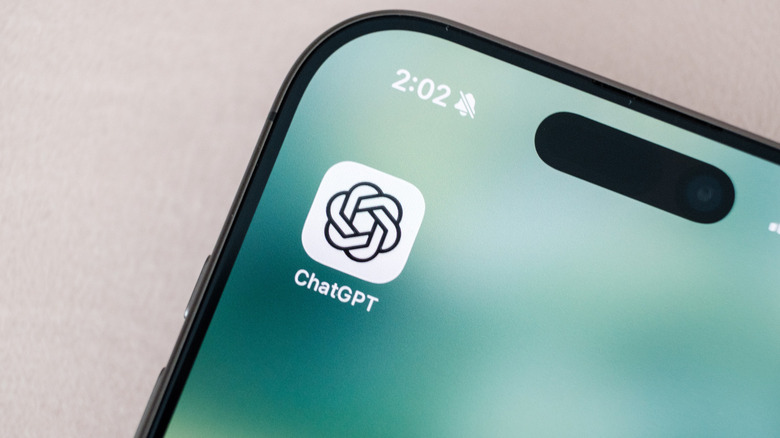 الصورة: Engadget
أخيراً صار فيه "قفل" داخل ChatGPT. OpenAI أعلنت الثلاثاء ميزة Locked chats: تفتح قائمة (•••) على أي محادثة، تختار Lock chat، تحط رقم سري من ٤ أرقام، وتختفي المحادثة من السجل والمثبتات والبحث وتنتقل لقسم اسمه Locked chats داخل Projects. الطرح تدريجي، فممكن ما تشوفها إلا بعد أيام.
التفاصيل
| القفل | رقم سري ٤ أرقام مربوط بحسابك · اختيارياً Face ID / Touch ID على iOS وقفل الجهاز على Android |
|---|---|
| الاشتراكات | المجاني وGo وPlus وPro وBusiness وEnterprise وEdu — ما عدا ChatGPT for Healthcare |
| المنصات | الويب، تطبيق سطح المكتب لـmacOS وWindows، iOS، Android · الصوت يشتغل بالمقفلة على الويب والجوال |
| الإغلاق التلقائي | على الجوال بعد دقيقة بالخلفية · على الويب أول ما تسكّر التبويب |
| الذاكرة | اللي تكتبه بعد القفل ممكن ينحفظ لمحادثات مقفلة ثانية، بس ما ينتقل لمحادثاتك العادية |
| ما ينقفل | المحادثات المؤقتة والمؤرشفة والجماعية، المفتوحة من رابط مشارك، واللي فيها مهام مجدولة أو تسجيلات اجتماعات، ومحادثات Codex |
اللي لازم تعرفه قبل تقفل
OpenAI واضحة: القفل مو تشفير من طرف لطرف ولا خزنة منفصلة، ما يغيّر مدة الاحتفاظ بالمحادثة ولا إعداد "تحسين النموذج"، ولا يمنع أي شخص يقدر يفتحها من نسخها. الهدف بس إن اللي ياخذ جوالك أو يشوف شاشتك ما يطالع. والأهم: إعادة تعيين الرقم السري تحذف كل المحادثات المقفلة والملفات اللي فيها نهائياً، والدعم ما يقدر يرجّعها. تغيير الرقم وأنت عارفه آمن.
ليش يهمك
عندنا الجوال يروح ويجي بين الأهل والأطفال وزملاء الدوام، وChatGPT صار فيه كل شي من استشارات الصحة إلى أرقام الراتب. هذي أول ميزة تحل المشكلة بدون ما تضطر تحذف المحادثة أو تستخدم المحادثة المؤقتة اللي ما تنحفظ. ومتاحة للمجاني — ما تحتاج تدفع.
رأيي
ميزة بديهية تأخرت سنتين، بس تنفيذها صح: نفس منطق WhatsApp بالمحادثات المقفلة، مع فصل الذاكرة اللي أعتبره أهم من القفل نفسه. تحفظي الوحيد إن حذف كل شي عند نسيان الرقم قاسي — ٤ أرقام سهل تنساها لو ما استخدمت القفل شهر. فعّل Face ID وسجّل الرقم بمكان آمن قبل ما تقفل أي شي مهم.
المصادر: OpenAI Help — Using locked chats · TechCrunch · Engadget
ChatGPT finally has a lock. On Tuesday OpenAI announced Locked chats: open the (•••) menu on any conversation, choose Lock chat, set a 4-digit PIN, and the chat vanishes from history, pinned chats and search into a Locked chats section under Projects. The rollout is gradual, so it may take a few days to appear.
The details
| Lock | 4-digit PIN tied to your account · optional Face ID / Touch ID on iOS and device unlock on Android |
|---|---|
| Plans | Free, Go, Plus, Pro, Business, Enterprise and Edu; not ChatGPT for Healthcare |
| Platforms | Web, the desktop app for macOS and Windows, iOS, Android · voice works in locked chats on web and mobile |
| Auto-lock | On mobile after one minute in the background · on web as soon as you close the tab |
| Memory | What you write after locking can be remembered for other locked chats, but never flows into regular chats |
| Cannot be locked | Temporary, archived and group chats, chats opened from a shared link, chats with scheduled tasks or meeting recordings, and Codex conversations |
What to know before you lock
OpenAI is explicit: locking is not end-to-end encryption or a separate vault, it does not change how long a chat is retained or the "Improve the model" setting, and it does not stop anyone who can open the chat from copying it. The goal is simply that whoever picks up your phone or looks at your screen cannot read it. Most important: resetting the PIN permanently deletes every locked chat and the files in them, and Support cannot recover them. Changing the PIN while you know it is safe.
Why it matters
Here phones get passed around family, kids and colleagues, and ChatGPT now holds everything from health questions to salary numbers. This is the first feature that solves that without deleting the chat or using Temporary Chat, which is not saved at all. And it is on the Free plan, so no payment needed.
My take
An obvious feature two years late, but done right: the same logic as WhatsApp’s locked chats, plus the memory separation that I consider more important than the lock itself. My one reservation is that wiping everything on a forgotten PIN is harsh; four digits are easy to forget if you go a month without using the lock. Turn on Face ID and store the PIN somewhere safe before locking anything that matters.
Sources: OpenAI Help — Using locked chats · TechCrunch · Engadget